
The WaaS Co-creation Consortium will conduct "Nozawa Onsen: A town you'll want to visit again and again" as a demonstration experiment to realize Well-being.
Click here for details about the WaaS Co-creation Consortium.
[Demonstration Experiment Period]
December 25, 2025 (Thursday) - Around Summer 2026 (tentative)
How to Use
Step1
Profile Download & Settings
Step2
Connect to Wi-Fi automatically within the coverage area.
Step3
Optimal recommended information is push-delivered when you enter the coverage area.
Features of OpenRoaming
The next-generation Wi-Fi, "OpenRoaming," is a mechanism that allows devices, once registered with a profile, to connect securely (encrypted and authenticated), simply (no need to specify SSID), and automatically to OpenRoaming-compatible free Wi-Fi, both domestically in Japan and overseas.

Automatic connection everywhere with a one-time initial registration.

Once registered, you can seamlessly connect for free to OpenRoaming-compatible Wi-Fi not only in Japan but across the world!here is no need to search for the SSID every time.

Preventing Connection to Rogue Access Points
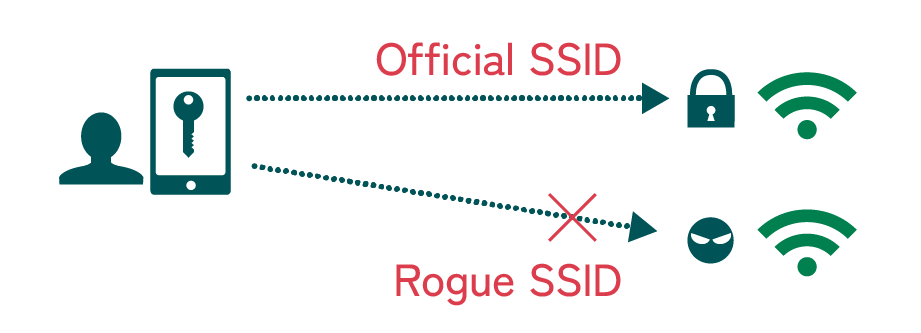
The system automatically connects to the appropriate Wi-Fi using certificate-based communication, thus preventing connection to spoofed/fake SSIDs.

Secure and Safe Public Wi-Fi Spot
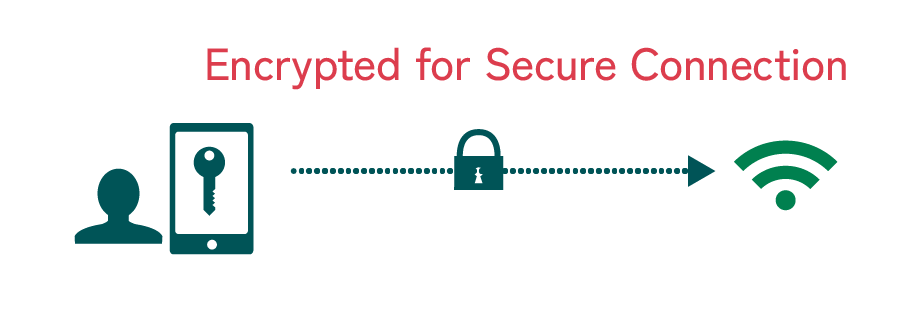
Since the connection is encrypted and automatic, it provides a secure and safe public Wi-Fi experience.
How to Use OpenRoaming
To use OpenRoaming, please follow the steps below, depending on the device you are using.
For iOS
1. First, add the "Download Screen" to your Home Screen.
①
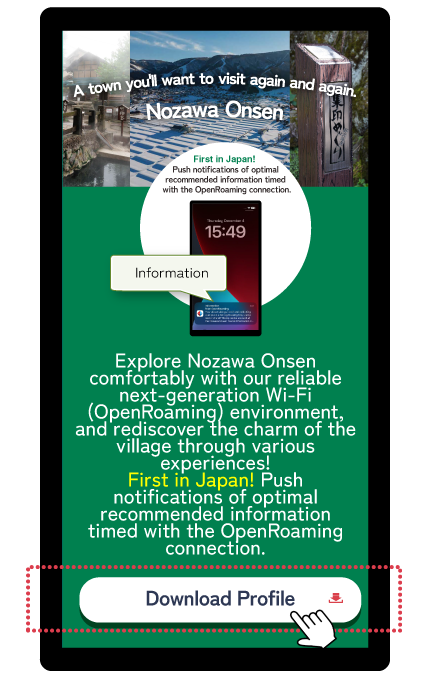
Tap the "Download Profile" button on this site.
②
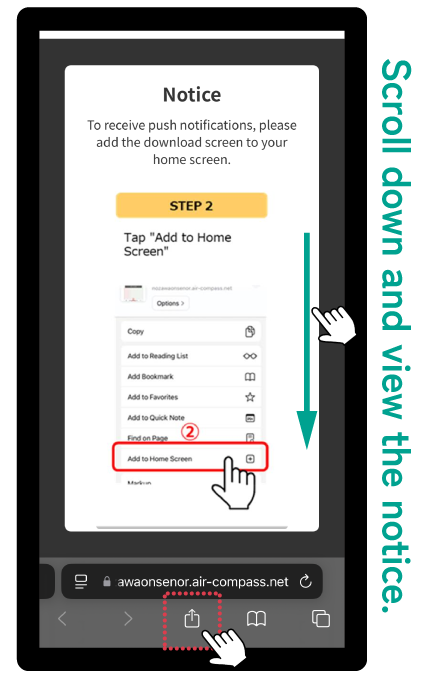
After answering the survey, check the notice/announcement, and then tap the "Share" icon at the bottom of the Safari screen.
③
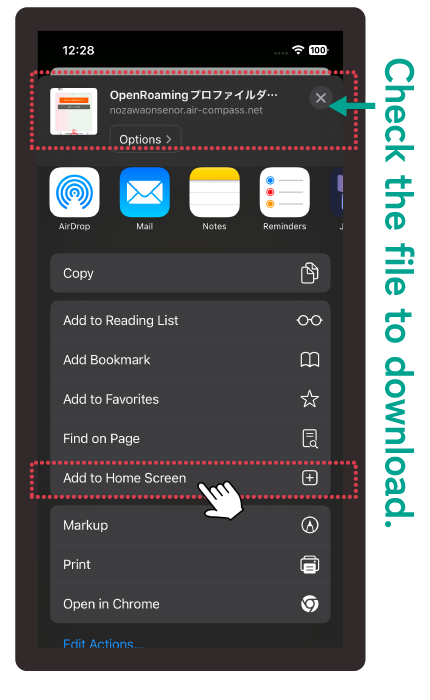
Tap "Add to Home Screen".
(To receive push notifications)
④
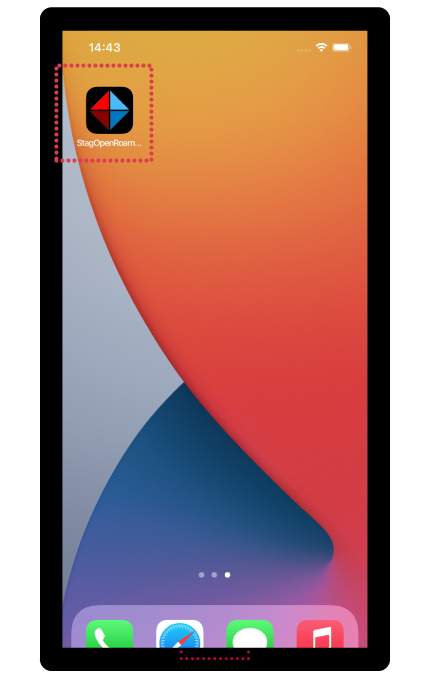
The OpenRoaming download icon will appear on the Home Screen.
2. OpenRoaming Profile Terms of Use and Push Notification Settings
①
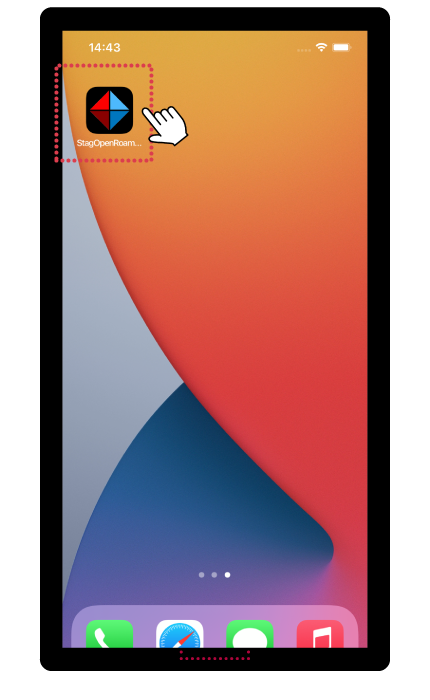
Tap the icon on the Home Screen.
②
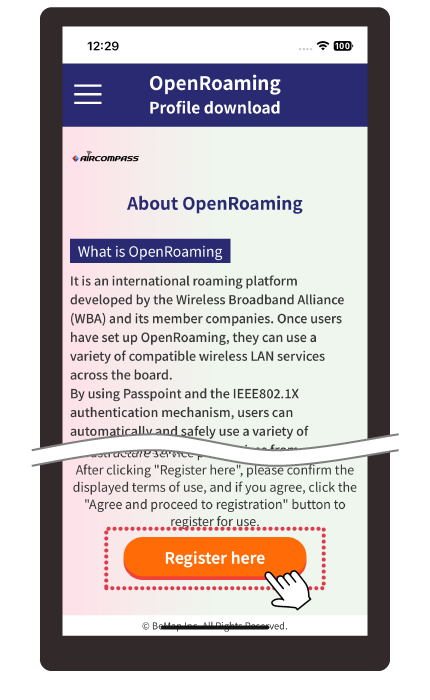
Check "About OpenRoaming" and tap the "Register Here" button.
③
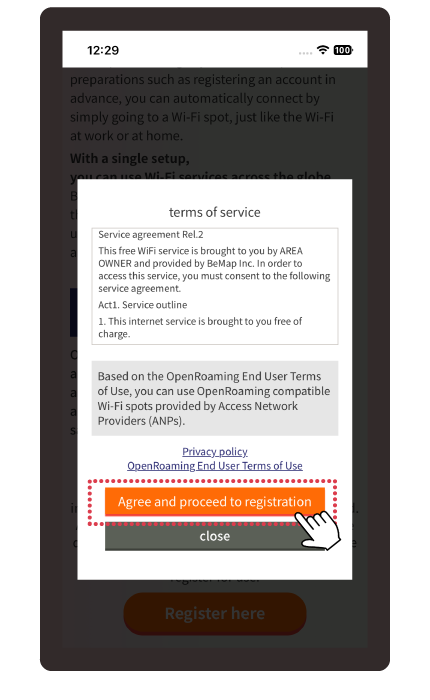
Review the "Terms of Use" and tap the "Agree and Proceed to Registration" button.
④
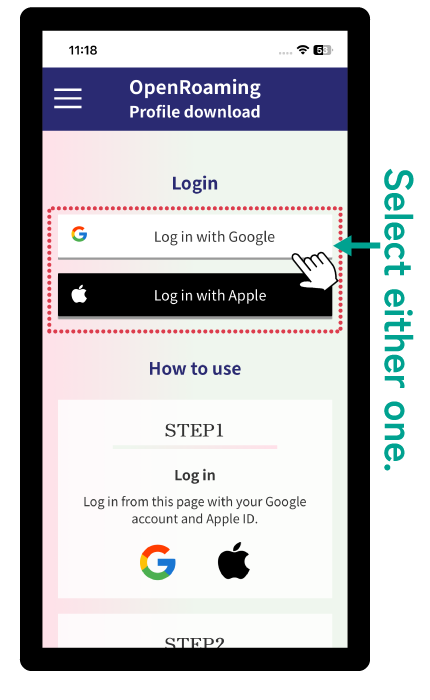
Select and tap "Sign in with Google" or "Sign in with Apple".
⑤
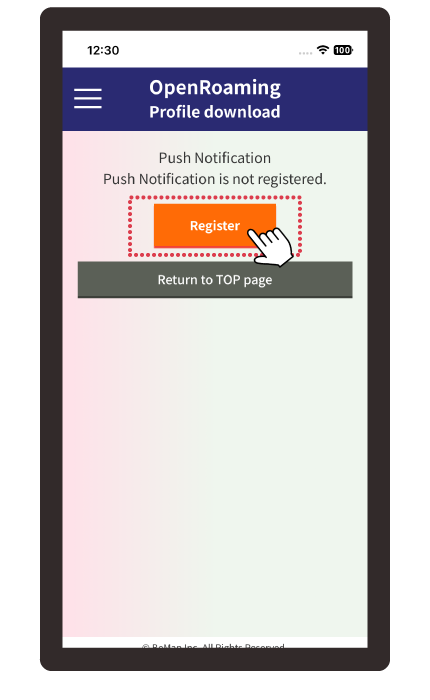
On the Push Notification screen, tap the "Register" button.
⑥
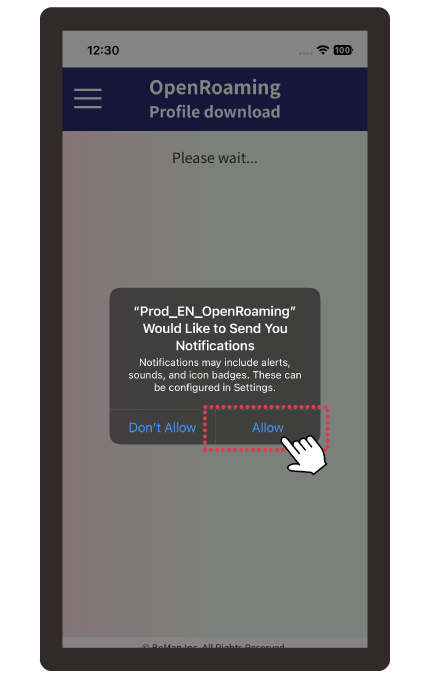
Tap "Allow" on the "Push Notification" prompt.
3. Download and Install the OpenRoaming Profile
①
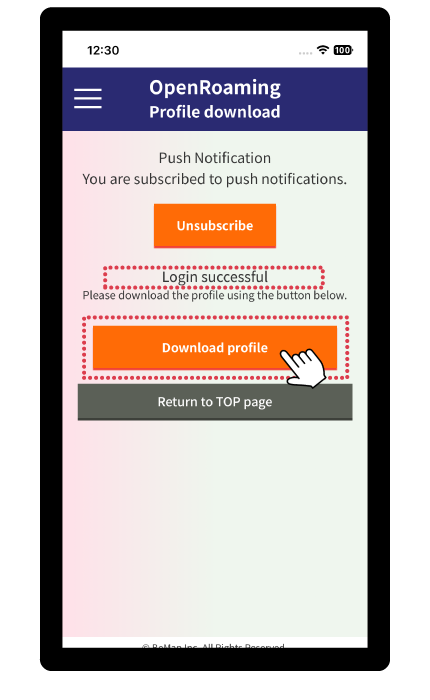
Confirm "Login successful" and tap the "Download Profile" button.
②
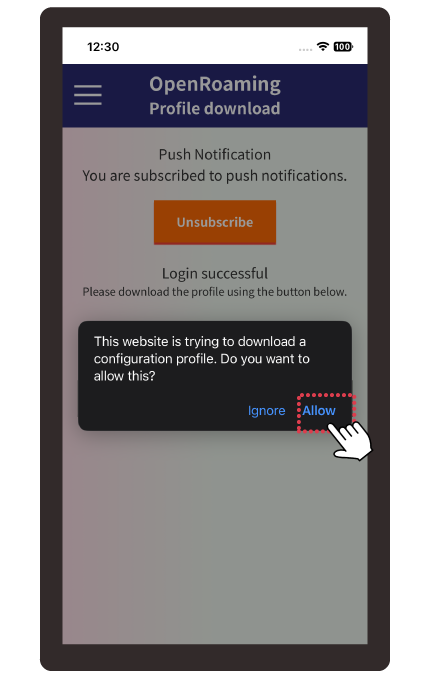
Tap "Allow" on the download confirmation screen.
③
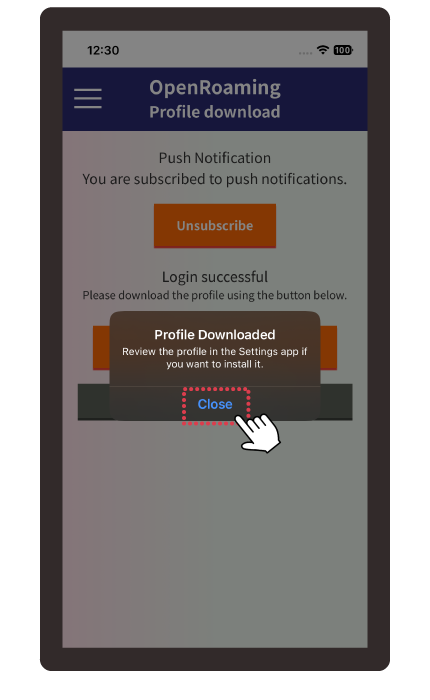
Tap "Close" on the download complete screen.
④
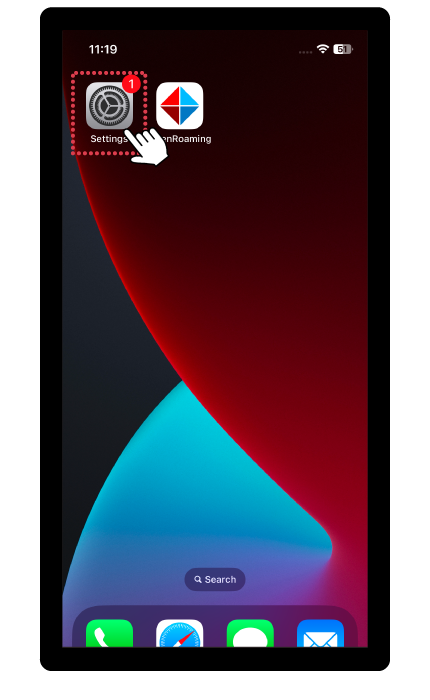
Tap the "Settings" icon and tap "Downloaded Profile".
⑤
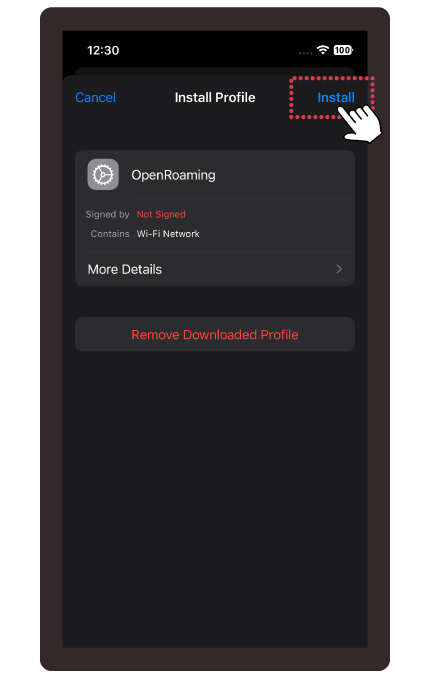
Confirm the "OpenRoaming" profile, tap "Install" in the upper right corner, and then tap "Done" when finished.
⑥
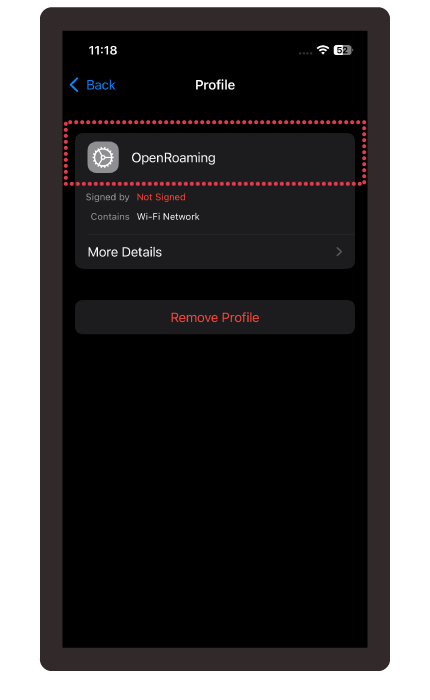
Installation is complete if "OpenRoaming - nozawa" is displayed in the "General > VPN & Device Management" section of the Settings screen.
For Android
1. OpenRoaming Profile Terms of Use and Push Notification Settings
①
Tap the "Download Profile" button on this site.
②
After answering the survey, check "About OpenRoaming" and tap the "Register Here" button.
③
Review the "Terms of Use" and tap the "Agree and Proceed to Registration" button.
④
Select and tap "Sign in with Google" or "Sign in with Apple".
⑤
On the Push Notification screen, tap the "Register" button.
⑥
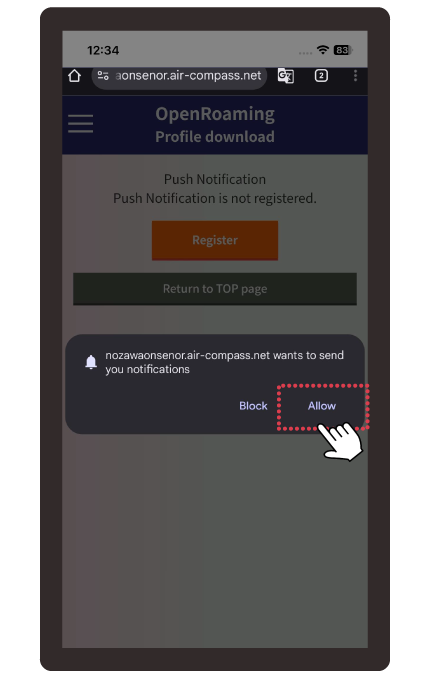
Tap "Allow" on the "Push Notification" prompt.
2. Download and Install the OpenRoaming Profile
①
Confirm "Login successful" and tap the "Download Profile" button.
②
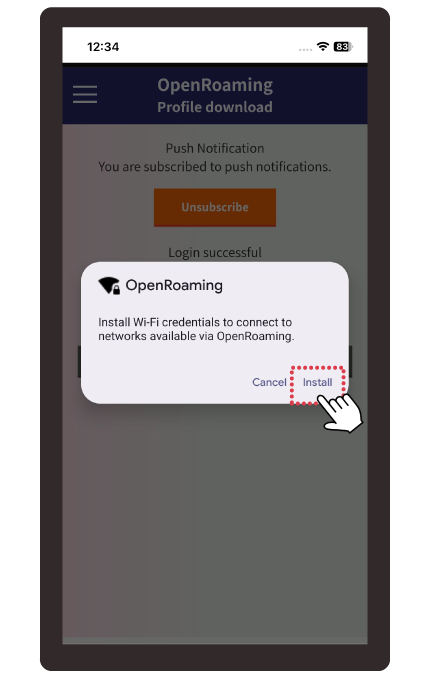
Tap "Allow" on the download confirmation screen.
③
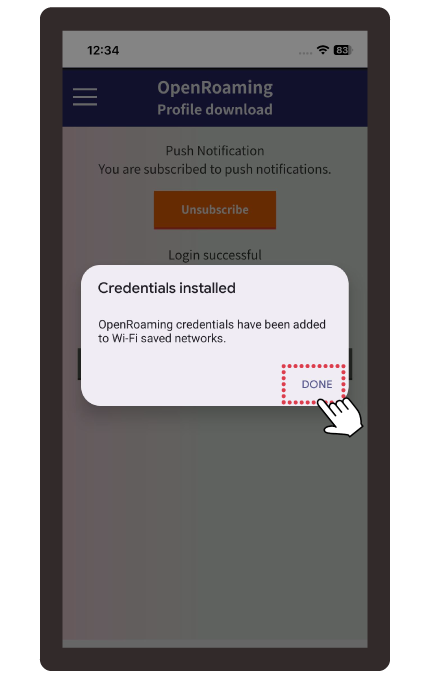
Tap "Close" on the download complete screen.
④
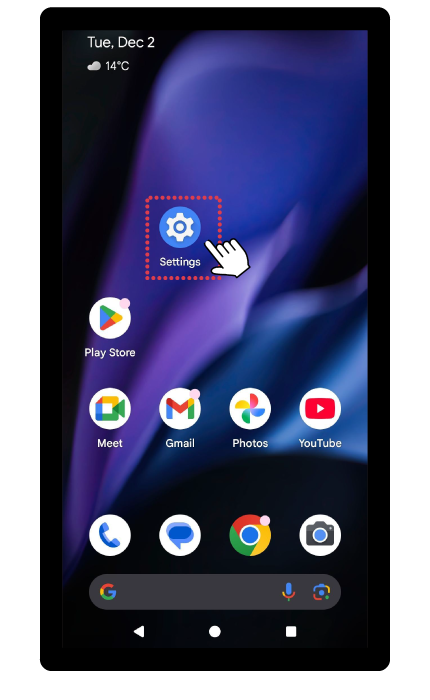
Tap the "Settings" icon and tap "Downloaded Profile".
⑤
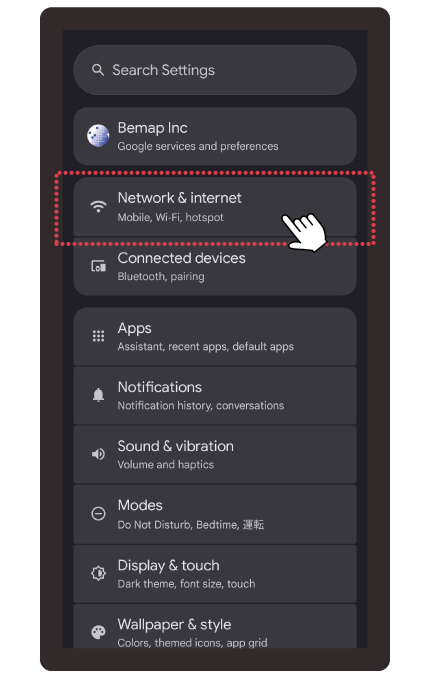
Confirm the "OpenRoaming" profile, tap "Install" in the upper right corner, and then tap "Done" when finished.
⑥
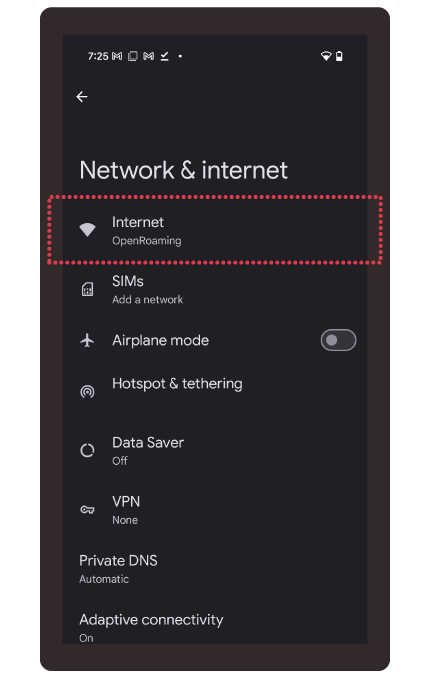
Once 'OpenRoaming' appears in your 'Internet' settings, you are done.
Full of Charm! Iiyama and Nozawa Onsen Area
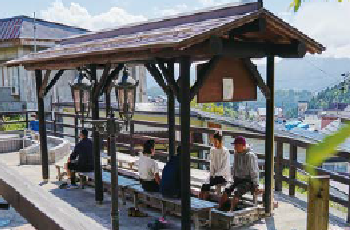
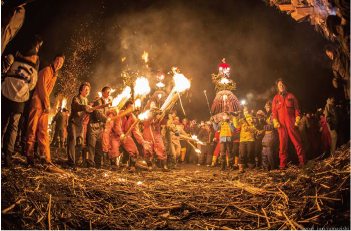
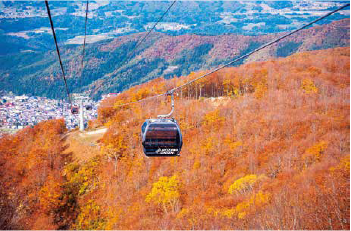
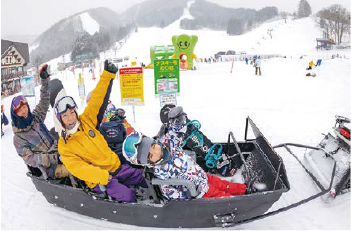
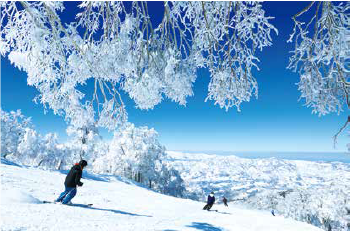
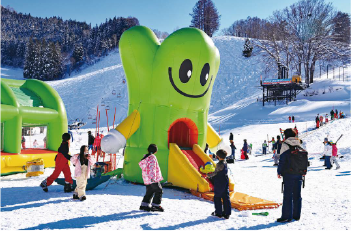
Nozawa Onsen is full of charm, not only in its world of silver snow but also during the green season, where you can
refresh yourself while becoming one with nature.
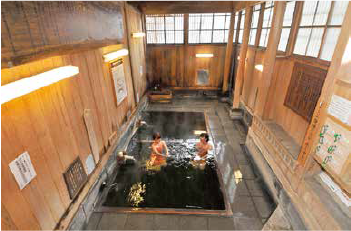
If you are registered with OpenRoaming, you can safely connect to the internet when searching for outdoor
hot springs (Sotoyu), famous sights, or delicious local gourmet food!
It's perfect for strolling and exploring, imagining the Edo period of the Nozawa Onsen area while on a
stamp-collecting pilgrimage or with an old map in hand.
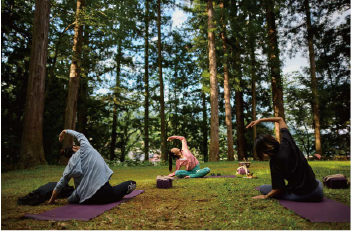



Refresh Yourself in Great Nature During the Green Season
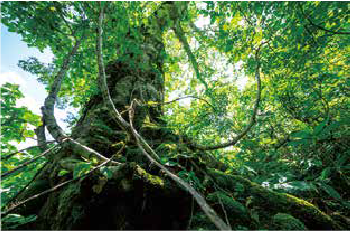
It is full of activities where you can become one with nature, forget everything, and restore your own rhythm.
The Nozawa Onsen area is full of charm in the green season too, with Starlight Tours where you can be healed by a sky full of stars unseen in the city, and SUP (Stand-Up Paddleboarding) experiences on Lake Hokuryu where you can feel connected to nature.

Stamp Collecting Pilgrimage (Shu-in Meguri)
Enjoy the stamp-collecting pilgrimage while visiting the outdoor hot springs (27 locations in the village).
Nozawa Onsen has a total of 27 stamp-collecting stands, allowing you to learn about the village's history and its background during different eras while collecting stamps. There are stamp-collecting stands at all 13 outdoor hot springs, so why not collect stamps while going on a hot spring tour (Yumeguri)? Collect 10 or more stamps to receive a towel, and 20 or more to receive either a towel or a tenugui (Japanese hand towel)!

Oedo Konjaku Meguri (Edo Past and Present Tour)
What was the townscape of the Nozawa Onsen area like at the end of the Edo period??
We have recreated a map from the end of the Edo period so that it can be overlaid on a modern map, allowing you to compare the past (Edo) and present with a single tap. It also includes information on recommended spots and the locations of stamp-collecting stands. Why not enjoy a stroll while looking at the old map?


Click here to download the Oedo Konjaku Meguri app.
*This is only available on the Japanese App Store and Google Play.

Start Using OpenRoaming Here

Locations Where OpenRoaming Can Be Used
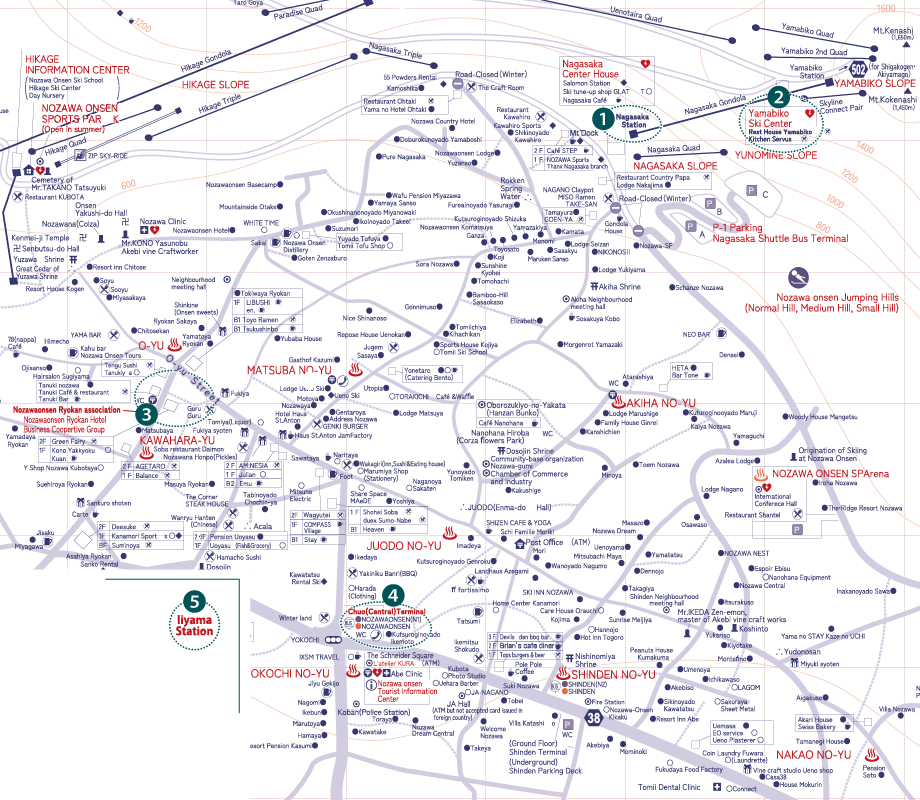
- 1Nozawa Onsen Ski Resort: Nagasaka Station
- 2Nozawa Onsen Ski Resort: Rest House Yamabiko
- 3Nozawa Onsen Village: Near the Ryokan Association Office
- 4Nozawa Onsen Village: Central Terminal
- 5Iiyama Station
- ※ You will be automatically connected when you approach a spot.
- ※ 2Rest House Yamabiko is available for use on the 2nd floor.
- ※ 5Iiyama Station is available for use near the 2nd-floor waiting room.
- ※ 5Iiyama Station is scheduled to be available starting from mid-January.
- ※ The connection range may increase or decrease depending on radio wave conditions.
Q&A: Frequently Asked Questions (FAQ)
QIs the Wi-Fi service free?
QIf I register for "OpenRoaming_nozawa" and "OpenRoaming_iiyama," can I connect to OpenRoaming-compatible spots anywhere in the world?
* The services available may be limited depending on the spot, and connection may sometimes not be possible.
QWhat procedure is necessary when I change my device?
QI don't have an internet environment. Is registration possible?
QHow do I terminate (uninstall) "OpenRoaming_nozawa" and "OpenRoaming_iiyama"?
Tap "Settings" > "General" > "VPN & Device Management" > "OpenRoaming" > "Remove Profile".
◆For Android
Tap "Settings" > "Network & Internet" > "Internet". If [Wi-Fi] is OFF, turn it ON. Then tap [Saved networks] at the bottom of the screen > "OpenRoaming" > "Remove Profile".
QWill my personal information or browsing history be leaked?
QThe Wi-Fi is not connecting. What should I do?
QPlease tell me the supported versions.
Android: Android 11 or later (Google Chrome 50 or later)
Contact Us